Profit and Loss Statement Template
Download a free template, or build your P&L from bank CSV files right in your browser.
Build a P&L from your bank statement
Step 1 of 3This picks the list of categories.
CSV files or PDF statements with selectable text, from any bank or card, up to 5 at a time.
Read on this device. Nothing is uploaded.
Free profit and loss statement templates
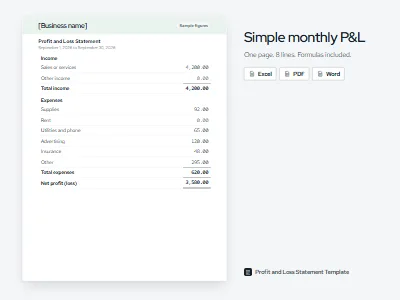
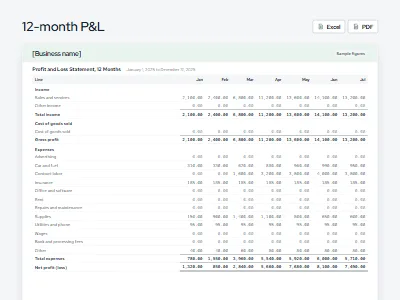
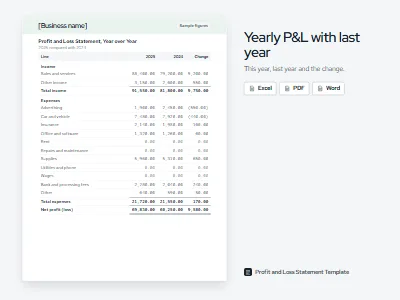
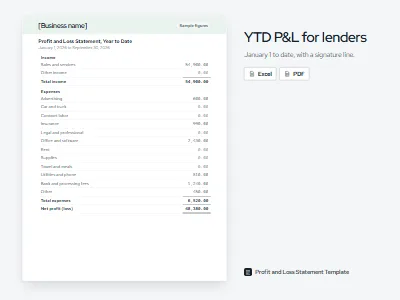
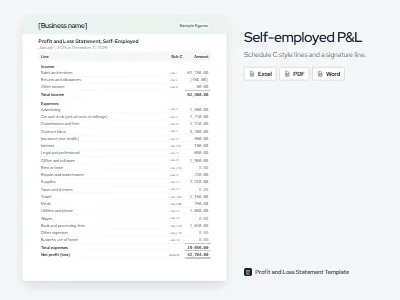
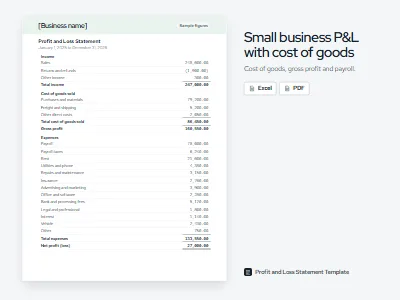
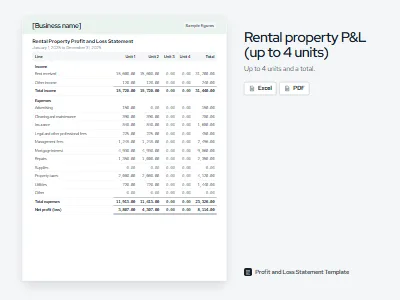
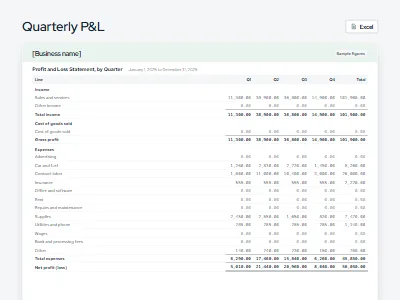
Every template below is free, with no sign-up and no email form in front of the download. Each Excel file writes every total as a formula, carries a How to use sheet, and opens in Google Sheets after you upload it. Pick the one that matches the job the statement has to do.
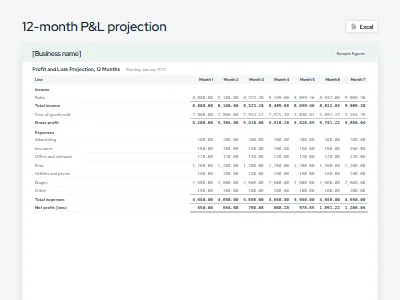
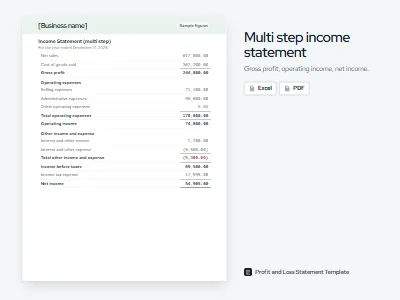
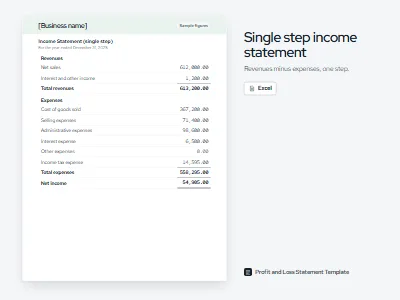
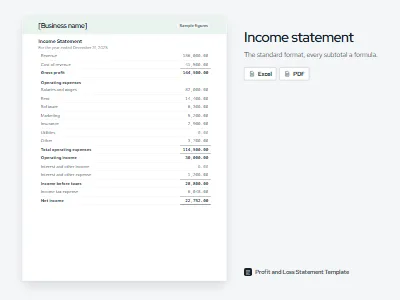
How the bank statement tool works
The tool turns the transaction files your bank already gives you into a finished statement. Your files are read in your browser and never uploaded, so the figures stay on your device the whole time.
Pick your business type
The type sets the list of categories, from a freelancer's Schedule C style lines to a cafe's food and beverage costs.
Add CSV or text PDF statements
Download CSV files from your bank and card accounts, or use a PDF statement with selectable text. Add up to five files at once.
Review what needs a look
Rules sort most rows. Transfers, card payments and loan principal are left out, and anything the rules cannot place is marked for you.
Download Excel, CSV or PDF
The Excel file adds up your transactions with formulas, so every figure on the statement traces back to a row from your bank.
What goes on a profit and loss statement
Every P&L has the same six parts, whether it covers a candle maker's month or a contractor's year. The numbered markers below point at each one. For the full explanation of every line and the formulas behind it, read our guide to the profit and loss statement.
| Line | Amount |
|---|---|
| Income | |
| Sales | 6,480.00 |
| Cost of goods sold | 2,140.00 |
| Gross profit | 4,340.00 |
| Expenses | |
| Advertising | 380.00 |
| Rent | 900.00 |
| Utilities and phone | 145.00 |
| Supplies | 210.00 |
| Bank and processing fees | 188.00 |
| Total expenses | 1,823.00 |
| Net profit | 2,517.00 |
The period. The dates the statement covers: a month, a quarter or a year. Money that moved outside those dates does not count.
Income. What the business earned from sales and services in the period, before any costs come off.
Cost of goods sold. The direct cost of what was sold, such as wax, wicks and jars. A service business usually has none.
Gross profit. Income minus cost of goods sold: what the sales leave over to pay the running costs.
Expenses. The running costs of the business, grouped by category, such as rent, advertising and card fees.
Net profit. Gross profit minus expenses: the bottom line, shown in parentheses when it is a loss.
A full example
Here is a complete statement for a made-up home cleaning service, run by one owner, for a full year. Contract labor is the largest cost: it is what the owner paid helpers on bigger jobs. Owner draws are not on it, because money the owner takes out is not a business expense. More layouts, including one that shows a loss, are in our profit and loss statement examples.
| Line | Amount |
|---|---|
| Income | |
| Cleaning services | 71,850.00 |
| Other income | 140.00 |
| Total income | 71,990.00 |
| Expenses | |
| Advertising | 1,180.00 |
| Car and truck | 3,960.00 |
| Contract labor | 9,600.00 |
| Insurance | 1,340.00 |
| Office and software | 720.00 |
| Supplies | 2,870.00 |
| Utilities and phone | 960.00 |
| Bank and processing fees | 1,410.00 |
| Other | 260.00 |
| Total expenses | 22,300.00 |
| Net profit | 49,690.00 |
Not accounting, tax or legal advice. Check every figure before you sign or submit it. Some lenders require a statement prepared by an accountant.
Mistakes that skew a P&L
Most errors on a homemade P&L come from bank activity that looks like income or spending but is neither. These five cause most of the trouble.
- Transfers counted as income. Moving money from savings to checking shows up as a deposit, but nothing was earned. Paying the business card from checking is the same: the purchases on the card are the expenses, so counting the payment as well doubles them.
- Loan principal counted as an expense. Only the interest on a loan is a cost of the business. The principal you repay is the lender's money going back, so it stays off the statement, and so does the loan money you received.
- Owner draws counted as expenses. Money you take out for yourself is not a business cost. Subtracting draws makes the business look less profitable than it is, which can count against you with a lender.
- Personal spending mixed in. Groceries, family subscriptions and personal travel on a business card make expenses look higher than they are. Mark them personal and leave them out.
- Cash income left out. Cash and payment app income that never reached the business bank account is still income. Add it as its own line so the statement is complete.
Template, fillable PDF or this tool
All three end in the same statement. The difference is where the figures come from and how much adding you do yourself. If you already know your totals, you can fill in a P&L online and download a filled PDF.
| Question | Excel template | Fillable PDF | Bank statement tool |
|---|---|---|---|
| Best for | Owners who keep their own records and want a file they can reuse every month | A one-off statement when you already know the figures | Turning bank and card exports into a P&L without sorting every row by hand |
| What you need | Excel or Google Sheets, and your totals by category | A browser, or any PDF reader that fills forms | CSV files or a text PDF statement from your bank |
| Work involved | You total each category yourself and type it in | You type totals you already have | Rules sort the rows; you check the ones marked for a look |
| Totals | Formulas add every line | The online form adds them; the blank PDF does not | Worked out from your transactions, then exported with formulas |
Not affiliated with Microsoft, Google or Intuit.
All templates and guides
Questions
How do I make a simple profit and loss statement?
Pick a period, such as a month or a year. Add up everything the business earned, list what it spent by category, and subtract the expenses from the income. What is left is your net profit, or a loss if expenses were higher. Our simple profit and loss statement template does the adding in Excel, or the tool above can total your bank files for you.
Does Excel have a profit and loss template?
Excel's own template gallery has included some income statement and profit and loss layouts, though what you find depends on your version. The templates on this page open in Excel with every total written as a formula, so the figures update as you type. There is no sign-up, and the same files work in Google Sheets after you upload them.
How do I write a statement of profit and loss?
Start with a heading that names the business and the period the statement covers. List income first, then cost of goods sold if you sell products, then gross profit. Below that, list operating expenses by category and subtract them to reach net profit. If a lender asked for the statement, sign and date it at the bottom.
How do I prepare a profit and loss statement from bank statements?
Download CSV files of your business bank and card accounts for the period. Sort each transaction into income or an expense category, and leave out transfers between your own accounts, credit card payments, loan principal and owner draws, because none of them is income or an expense. Then total each category by month. The bank statement tool on this page does those steps in your browser.
Is this profit and loss template free?
Yes. Every template is free to download in Excel, PDF or Word, and the bank statement tool and the fill-online PDF are free to use. There is no sign-up and no email form in front of any download. You can use the files for your own business as often as you like.
Are my bank files uploaded when I use the tool?
No. CSV and PDF files are read by your browser on your own device, and nothing you add to the tool leaves it. The rules that sort your transactions run on the page itself, so there is no server step that could see your data. You can confirm this in your browser's network panel while a file is read.
Can I use these templates in Google Sheets?
Yes. Download the Excel file, then in Google Drive choose New, then File upload, and open the file with Google Sheets. The totals are ordinary SUM formulas, so they keep working after the upload, and you can keep editing the same file in Excel as well.
Which profit and loss template should I choose?
Choose the simple template for a one-page summary, the monthly template to see each month side by side, and the yearly template to compare a full year with the year before. Lenders often ask for a year to date statement, and the self employed profit and loss statement uses Schedule C style lines. Shops that sell products or run payroll fit the small business layout.